Computer Science 9618/22 — October/November 2024
Cambridge AS Level · Fundamental Problem-solving and Programming Skills · worked solutions for every part, with the mark scheme
Topics Programming · Data Types and Structures · Software Development · Algorithm Design and Problem-solving
Refer to the insert for the list of pseudocode functions and operators.
A program has been developed and released for general use. After a few months of use an error is detected where under certain circumstances it outputs an unexpected value.
The error in the program needs to be corrected.
Identify the stage of the program development life cycle that this correction is made in.
Answer
- Maintenance
Maintenance
Background Concept
The program development life cycle describes the stages a program goes through, from the initial idea to use and later changes. Typical stages include analysis, design, coding, testing, implementation and maintenance.
Once a program has been released for general use, any later changes are usually part of the maintenance stage. Maintenance includes correcting faults, adapting the program to new requirements, or improving its performance.
A detected error after release is normally dealt with by corrective maintenance, but if the question asks for the life cycle stage, the expected stage name is usually just maintenance.
Understanding the Question
The key clue is that the program has already been developed, released and used for a few months. That means the program is no longer in analysis, design, coding or testing as its main stage.
Now an error has been found and needs correcting. The question asks for the stage of the program development life cycle where this correction happens.
Approach
Use the timeline in the question:
- The program was developed.
- It was released.
- It has been in use for months.
- A fault is now discovered.
Any correction at that point belongs to maintenance.
Step-by-Step Reasoning
Because the software is already in general use, the main development stages have already happened.
The fault is being found after release, not during initial testing before release.
Therefore the correction is carried out during the maintenance stage.
If a student knows the more specific term corrective maintenance, that explains the kind of maintenance, but the life cycle stage itself is maintenance.
Key Takeaways
- Errors found after release are handled in the maintenance stage.
- Maintenance happens after implementation and use.
- Corrective maintenance is the type used to fix faults.
Common Mistakes
- Writing testing: testing usually happens before release as part of development, whereas this question says the software has already been released and used.
- Writing coding: coding is the act of writing the original program, not the life cycle stage for post-release correction.
- Giving only corrective without recognising maintenance: corrective is a maintenance type, not usually the named stage itself.
Things to Be Careful About
- Read the timeline carefully. “Released for general use” is the strongest clue.
- If the question asks for the stage, give maintenance. If it asked for the type of maintenance, then corrective maintenance would be the more exact answer.
The program contains a function Lookup(). After investigation, it is found that this is the function that sometimes returns an incorrect value.
An Integrated Development Environment (IDE) is used to help locate the error.
The IDE features of watch window, single stepping and breakpoint will be used.
Explain these features including the order that they will be used in to locate the error in Lookup().
Answer
- Set a breakpoint in
Lookup()so the program runs normally up to that point and then pauses. - Use single stepping to execute
Lookup()one line at a time. - Use the watch window while stepping to monitor the values of relevant variables / expressions and identify the line where an incorrect value is produced or returned.
Set a breakpoint in Lookup(), single step through it, and use the watch window to monitor values until the incorrect value is found.
Background Concept
An IDE provides debugging tools to help a programmer find logic errors and run-time problems. Three common debugging features are breakpoints, single stepping and watch windows.
A breakpoint is a marker placed on a line of code. When the program reaches that line during execution, it pauses automatically.
Single stepping means executing the program one statement at a time. This lets the programmer see exactly what each line does.
A watch window displays the current values of selected variables or expressions while the program is paused or being stepped through. This is useful for spotting where data becomes wrong.
These tools are especially useful for logic errors, where the program runs but sometimes gives the wrong result.
Understanding the Question
The question already tells us that the incorrect result comes from the function Lookup(). So the aim is not to search the whole program randomly, but to focus on that function.
It also asks for the features and the order they will be used in. That means a good answer must do more than define the features separately. It should describe a sensible debugging sequence.
Approach
The sensible order is:
- Put a breakpoint in
Lookup()so execution stops there. - Run the program until that breakpoint is reached.
- Step through the code line by line using single stepping.
- Watch the important variables in the watch window to see when one changes incorrectly or when the returned value becomes wrong.
This order is logical because you first get to the suspicious location, then inspect it closely.
Step-by-Step Reasoning
First, the programmer places a breakpoint in Lookup(), usually at the start of the function or just before the suspected section. A breakpoint avoids having to manually trace all earlier code.
Next, the program is run with the usual test data that causes the error. When execution reaches the breakpoint, the IDE pauses the program automatically.
Now the programmer uses single stepping. Each click or command executes one line only, so the programmer can follow the path taken through Lookup().
At the same time, the watch window is used to track the values of variables involved in the lookup process, and possibly the function result as well. As each line runs, the programmer observes whether:
- a variable gets an unexpected value,
- a condition goes the wrong way,
- the wrong array element or item is used,
- or the function is about to return the wrong value.
The line after which the watched value becomes wrong is usually where the bug is, or very near it.
That is why the tools work together: the breakpoint gets you to the right place, single stepping reveals the control flow, and the watch window reveals the data values.
Key Takeaways
- Breakpoints pause execution at a chosen line.
- Single stepping lets you follow the program one statement at a time.
- Watch windows let you observe variable values during debugging.
- For a known faulty function, use these tools together in a clear sequence.
Common Mistakes
- Describing the features but not giving the order: the question specifically asks for the order of use.
- Saying the watch window changes variables: it does not change them; it displays their values.
- Confusing a breakpoint with single stepping: a breakpoint pauses at a chosen location, while single stepping executes one line at a time.
- Talking about syntax errors: syntax errors are usually found before the program can run, but this question is about a function that sometimes returns an incorrect value, which suggests a logic error.
Things to Be Careful About
- The answer should refer specifically to
Lookup()because the question identifies that function as the source of the problem. - Do not imply that the breakpoint is used after stepping. Normally it is set first so execution stops in the right place.
- Mention watched variables or expressions, not just “the code”, because the watch window is about values.
- The word “sometimes” suggests the programmer should run the program using data that reproduces the fault.
To solve the error a programmer decides to create a new module.
The design of the new module has been completed and the module is being coded.
Identify two features of an IDE that will help during the coding of this new module.
1 ................................................................................................................................................
2 ................................................................................................................................................
Answer
- Syntax highlighting
- Code completion / auto-complete
- Syntax highlighting 2. Code completion / auto-complete
Background Concept
An IDE does more than debug programs. It also provides tools that help during coding, making it faster and reducing mistakes.
Coding support features typically include syntax highlighting, auto-completion, automatic indentation, bracket matching, code formatting and syntax error indication.
Syntax highlighting displays different parts of the code in different colours or styles, for example keywords, identifiers and strings. This makes the program easier to read and helps the programmer notice mistakes.
Code completion, also called auto-complete, suggests or fills in keywords, procedure names, variable names or method names as the programmer types. This speeds up coding and reduces typing errors.
Understanding the Question
The question says the new module has already been designed and is now being coded. So it is not asking about design tools or debugging tools for finding the existing fault. It is asking for features that help while writing the new code.
Because it says “identify two features”, brief feature names are enough.
Approach
Choose two standard IDE features that directly support entering code correctly and efficiently.
Good answers are features such as:
- syntax highlighting,
- code completion / auto-complete,
- automatic indentation,
- bracket matching,
- syntax error alerts.
Any two valid features would usually gain the marks.
Step-by-Step Reasoning
A strong pair of answers is:
-
Syntax highlighting.
This helps by showing keywords, strings and identifiers clearly, making the code easier to read and making mistakes more visible. -
Code completion / auto-complete.
This helps by suggesting or completing keywords and identifier names, saving time and reducing spelling mistakes in names.
These are clearly coding aids rather than testing or maintenance activities.
Key Takeaways
- IDEs support both coding and debugging.
- Syntax highlighting improves readability and helps spot errors.
- Code completion speeds up typing and reduces identifier mistakes.
Common Mistakes
- Repeating breakpoint, watch window or single stepping from part (b): those are debugging features, but this part focuses on coding the new module.
- Giving vague answers such as “it helps you code faster” without naming a feature.
- Naming non-IDE items such as “compiler” or “keyboard shortcuts” unless the question specifically accepts them as IDE features.
Things to Be Careful About
- The question asks for features, not explanations, so keep the solution concise.
- Choose features clearly associated with the IDE itself.
- Do not confuse general software development stages with specific IDE tools.
The new module referred to in part (c) introduces three new variables.
Complete the following table by giving the appropriate data type for each.
| Variable name | Used to store | Data type |
|---|---|---|
Name | A customer name. | |
Index | An array index. | |
Result | The result of the division of any two non-zero numbers. |
Answer
| Variable name | Data type |
|---|---|
Name | STRING |
Index | INTEGER |
Result | REAL |
Name = STRING, Index = INTEGER, Result = REAL
Background Concept
A data type tells the program what kind of value a variable stores and what operations are suitable for it. Choosing the right data type matters because it affects memory use, valid operations and the accuracy of results.
Common pseudocode data types at this level include:
STRINGfor text,INTEGERfor whole numbers,REALfor numbers that may include a fractional part,BOOLEANforTRUEorFALSEvalues,CHARfor a single character.
An array index is normally an integer because positions in an array are counted in whole-number steps.
A division result may be fractional, so if the question says it is the result of dividing any two non-zero numbers, the safe type is REAL rather than INTEGER.
Understanding the Question
You are given three variables and a description of what each stores. You must match each one to the most suitable data type.
The descriptions are:
Name: a customer name,Index: an array index,Result: the result of dividing any two non-zero numbers.
The task is about the meaning of the data, not about writing code.
Approach
For each variable, ask:
- Is it text, a whole number, or a value that may be fractional?
- What kind of operations will normally be performed on it?
- What is the safest type that fits all valid values described?
Step-by-Step Reasoning
For Name, the stored value is a customer name. Names are text, possibly with multiple characters, so the correct type is STRING.
For Index, the stored value is an array index. Array positions are counted using whole numbers such as 0, 1, 2 or 1, 2, 3 depending on the language or pseudocode system. Therefore the correct type is INTEGER.
For Result, the stored value is the result of division of any two non-zero numbers. Division does not always give a whole number. For example, . Because the value may contain a decimal or fractional part, the correct type is REAL.
So the completed table is:
Name→STRINGIndex→INTEGERResult→REAL
Key Takeaways
- Use
STRINGfor text values. - Use
INTEGERfor whole-number counters and indexes. - Use
REALwhen a calculation may produce a fractional value. - Always choose a type that can hold every valid value described.
Common Mistakes
- Writing
CHARforName: a name is usually more than one character, soSTRINGis needed. - Writing
REALforIndex: array positions are whole numbers, not decimal values. - Writing
INTEGERforResult: division can produce values like 2.5, so integer is too restrictive.
Things to Be Careful About
- Focus on what the variable is used to store, not just the variable name.
- The phrase “any two non-zero numbers” matters because it includes divisions that do not divide exactly.
- Use the pseudocode type names expected by the syllabus, such as
STRING,INTEGERandREAL.
A program is being developed to process bank card information.
When a card number is displayed, all the characters except the last four are replaced with the asterisk character '*'.
Card numbers are stored as strings. The strings are between 10 and 20 characters in length.
The function Conceal() will take a string representing a card number and return a modified string.
Example strings:
| Original string | Modified string |
|---|---|
| "1234567890" | "******7890" |
| "1234567897652" | "*********7652" |
| "1234567890123456" | "************3456" |
The function Conceal() will:
- take a numeric string as a parameter representing the card number
- return a string in which the asterisk character replaces all except the last four characters of the card number parameter.
Write pseudocode for the function Conceal().
Answer
FUNCTION Conceal(CardNum : STRING) RETURNS STRING
   DECLARE Concealed : STRING
   DECLARE Count : INTEGER
   Concealed ← ""
   FOR Count ← 1 TO LENGTH(CardNum) - 4
      Concealed ← Concealed & "*"
   NEXT Count
   Concealed ← Concealed & RIGHT(CardNum, 4)
   RETURN Concealed
ENDFUNCTION
See completed pseudocode
Background Concept
A function is used when a section of code takes some input, processes it, and returns a value. In this question, the returned value is another string.
String manipulation means working with whole strings or parts of strings. Common built-in operations in CIE pseudocode include LENGTH() to find how many characters are in a string and RIGHT() to extract characters from the end of a string.
This task also uses iteration. A count-controlled loop is appropriate when you know exactly how many times something must happen. Here, the number of asterisks needed is the length of the card number minus 4, because the last four characters must remain visible.
Understanding the Question
The question gives a card number as a string and wants a function called Conceal() that returns a new string. Every character except the last four must be replaced by *.
So if the original string has length 10, the first 6 characters become * and the last 4 stay the same. If the length is 16, the first 12 become * and the last 4 stay the same.
The key clues are:
- it says
function, so the routine must return a string - card numbers are stored as strings, so string functions should be used
- all except the last four are replaced, so the loop should run
LENGTH(CardNum) - 4times
Approach
A simple way to solve this is:
- Create an empty string to hold the result.
- Add one
*for every character except the final four. - Take the last four characters from the original string.
- Join those last four characters onto the end of the asterisks.
- Return the completed string.
This is better than replacing characters one by one across the whole string because the unchanged part is already available directly with RIGHT().
Step-by-Step Reasoning
The function header is written first:
FUNCTION Conceal(CardNum : STRING) RETURNS STRING- This shows the routine name, the parameter, and that the function returns a string.
Local variables are then declared:
Concealedstores the new masked string.Countcontrols the loop.
Concealed ← ""
- The result string must start empty.
- If it is not initialised, concatenation later would be unreliable.
FOR Count ← 1 TO LENGTH(CardNum) - 4
LENGTH(CardNum)gives the number of characters in the card number.- Subtracting 4 gives the number of characters that must be hidden.
- For example, if the card number is length 13, the loop runs 9 times.
Concealed ← Concealed & "*"
- Each pass adds one asterisk to the result.
- After the loop finishes,
Concealedcontains exactly the correct number of*characters.
Concealed ← Concealed & RIGHT(CardNum, 4)
RIGHT(CardNum, 4)extracts the last four characters unchanged.- These are added to the end of the concealed prefix.
RETURN Concealed
- Because this is a function, the final string must be returned.
For example, with "1234567890":
LENGTH(CardNum) - 4 = 6- loop builds
"******" RIGHT(CardNum, 4)gives"7890"- result becomes
"******7890"
Key Takeaways
- Use a function when a value needs to be returned.
- Use
LENGTH()to determine how many iterations are needed for string processing. - Use a count-controlled loop when the number of repetitions is known.
- Use
RIGHT()to keep the final characters unchanged. - Build result strings by initialising an empty string and concatenating to it.
Common Mistakes
- Returning nothing from the function: a function must return the concealed string.
- Looping to
LENGTH(CardNum)instead ofLENGTH(CardNum) - 4: this would hide the last four as well. - Using
LEFT(CardNum, 4)instead ofRIGHT(CardNum, 4): this keeps the wrong part visible. - Replacing the first four characters instead of all except the last four: the question is about the final four characters, not the first four.
- Forgetting to initialise
Concealed: concatenation onto an undefined value is incorrect.
Things to Be Careful About
- Keep the identifier name consistent, for example
CardNumthroughout the function. - Use the assignment arrow
←, not=. - Write valid CIE pseudocode keywords in upper case:
FUNCTION,DECLARE,FOR,NEXT,RETURN,ENDFUNCTION. - The parameter is a string, even though it represents a numeric card number.
- The question says strings are between 10 and 20 characters long, so
RIGHT(CardNum, 4)is always safe here.
The requirements have been changed. Conceal() will now be written as a procedure which will process 100 card numbers each time it is called.
The card numbers will be stored in a 2D array CardNumber. The original string will be stored in column one and the modified string in column two.
Answer
DECLARE CardNumber : ARRAY[1:100, 1:2] OF STRING
DECLARE CardNumber : ARRAY[1:100, 1:2] OF STRING
Background Concept
A two-dimensional array stores data in rows and columns. Each element is accessed using two indices: one for the row and one for the column.
In CIE pseudocode, an array declaration states:
- the array name
- the index range for each dimension
- the data type stored in each element
Because card numbers are stored as strings, every element in this array must be of type STRING.
Understanding the Question
The changed requirement says the procedure will process 100 card numbers each time it is called. For each card number, two values must be stored:
- column 1: the original card number
- column 2: the concealed card number
So the array needs:
- 100 rows, one for each card number
- 2 columns, one for original and one for modified
Approach
Translate the information directly into a 2D array declaration:
- first dimension for the 100 card numbers
- second dimension for the 2 stored strings per card number
- element type
STRING
Step-by-Step Reasoning
The array is named CardNumber, so that exact identifier must be used.
There are 100 card numbers, so the first dimension needs 100 positions:
1:100
There are two columns, so the second dimension needs 2 positions:
1:2
Each stored value is a card number string, so the array stores strings:
OF STRING
Putting those parts together gives:
DECLARE CardNumber : ARRAY[1:100, 1:2] OF STRING
This means:
CardNumber[1, 1]could hold the first original card numberCardNumber[1, 2]could hold the first concealed card numberCardNumber[100, 1]could hold the last original card numberCardNumber[100, 2]could hold the last concealed card number
Key Takeaways
- A 2D array is used when data naturally fits rows and columns.
- The first dimension here represents card records.
- The second dimension here represents the two fields stored for each card.
- The element type must match the data being stored.
Common Mistakes
- Declaring a 1D array instead of a 2D array: that would not separate original and modified values into columns.
- Using 100 columns and 2 rows: the question describes 100 card numbers, each with 2 values, so rows and columns should not be reversed conceptually.
- Using
INTEGERinstead ofSTRING: the question explicitly says card numbers are stored as strings. - Forgetting one set of bounds, for example declaring only
[1:100]: that would not be two-dimensional.
Things to Be Careful About
- Use the exact array name
CardNumber. - Keep the bounds consistent with CIE pseudocode notation:
ARRAY[1:100, 1:2] OF STRING. - Do not overcomplicate the declaration with extra fields or record types; the question only asks for the array declaration.
- Remember that the two columns have different meanings, even though both store strings.
The new procedure Conceal() will write the modified string to the corresponding element in column two.
The array CardNumber is passed as a parameter to the new procedure Conceal().
Identify how this parameter should be specified in the new procedure header.
Answer
PROCEDURE Conceal(BYREF CardNumber : ARRAY[1:100, 1:2] OF STRING)
BYREF CardNumber : ARRAY[1:100, 1:2] OF STRING
Background Concept
Parameters can be passed into a procedure in different ways.
BYVALmeans the procedure receives a copy of the data. Changes made inside the procedure do not affect the original data outside it.BYREFmeans the procedure works with the original data itself. Changes made inside the procedure do affect the original data outside it.
A procedure is normally used when the main purpose is to carry out actions, especially when existing data structures are being updated.
Understanding the Question
The new version of Conceal() is no longer a function returning a single string. It is now a procedure that processes 100 card numbers in the array CardNumber.
The question states that the procedure will write the modified string into column two of the array. That means the procedure must change the array contents directly.
So the important idea is: if the original array must be updated, the parameter cannot just be a copy.
Approach
Decide how the array should be passed based on what the procedure does:
- if it only needed to read the array,
BYVALmight be acceptable - because it must write the concealed strings back into column two, it must be passed
BYREF
Then express that correctly in the procedure header.
Step-by-Step Reasoning
The array CardNumber is being modified inside the procedure.
If it were passed BYVAL:
- the procedure would receive a copy of the array
- any changes to column two would affect only the copy
- when the procedure ended, the original array outside the procedure would remain unchanged
That would not meet the requirement.
If it is passed BYREF:
- the procedure accesses the original array
- writing to column two changes the real
CardNumberarray - those changes are still present after the procedure finishes
So the parameter in the procedure header should be specified as BYREF.
A complete parameter specification is:
BYREF CardNumber : ARRAY[1:100, 1:2] OF STRING
Key Takeaways
- Use
BYREFwhen a procedure must modify the caller's original data. - Use
BYVALwhen the procedure should only work on a copy. - Arrays are commonly passed by reference when they are being updated.
- Procedures are suitable when the main purpose is to carry out actions rather than return one value.
Common Mistakes
- Writing
BYVAL: this would stop the procedure from updating the original array. - Saying only
CardNumberwith noBYREFwhen the question specifically asks how the parameter should be specified. - Confusing a procedure with a function: this new version updates the array instead of returning a single string.
Things to Be Careful About
- The key marking point here is
BYREF. - Keep the identifier exactly as
CardNumber. - If you include the full parameter declaration, ensure the array type matches the declaration from part (b)(i).
- Do not describe the whole procedure body here; the question only asks how the parameter should be specified in the header.
A program uses a stack to hold up to 60 numeric values.
The stack is implemented using two integer variables and a 1D array.
The array is declared in pseudocode as shown:
DECLARE ThisStack : ARRAY[1:60] OF REAL
The stack operates as follows:
- Global variable
SPacts as a stack pointer that points to the next available stack location. The value ofSPrepresents an array index. - Global variable
OnStackrepresents the number of values currently on the stack. - The stack grows upwards from array element index 1.
Give the initial values that should be assigned to the two variables.
SP ......................................................................................................................................
OnStack ...........................................................................................................................
Answer
SP = 1OnStack = 0
SP = 1, OnStack = 0
Background Concept
A stack is a Last In, First Out (LIFO) data structure. When a stack is implemented using an array, the program needs some way to know where the next item should go and how many items are currently stored.
In this question:
SPis the stack pointer.SPpoints to the next available location, not the current top item.OnStackstores how many values are currently in the stack.- The stack grows upwards from index 1.
For an empty stack, no items are stored yet, so the number of items must be 0. Also, because the first free place is array position 1, the stack pointer must start at 1.
Understanding the Question
The question asks for the starting values of the two global variables before the stack is used.
You are told that:
- the array indices go from 1 to 60
- the stack grows upwards
SPpoints to the next free locationOnStackcounts how many items are currently stored
So you need the values that represent an empty stack.
Approach
Think about what the stack looks like before any PUSH operation has happened:
- there are no values on the stack, so the count is 0
- the next free location must be the first array cell, index 1
That immediately gives the two initial values.
Step-by-Step Reasoning
At the start:
-
The stack contains no items.
- Therefore
OnStack = 0.
- Therefore
-
The next free place for a pushed value is the first element of the array.
- Because the array starts at index 1,
SP = 1.
- Because the array starts at index 1,
So the correct initial state is:
SP = 1OnStack = 0
Key Takeaways
- Always check what a pointer represents: here it is the next free slot, not the top item.
- An empty stack has item count 0.
- In an array-based stack starting at index 1, the first available position is 1.
Common Mistakes
- Setting
SP = 0because the stack is empty. This is wrong here because the array indices start at 1. - Setting
OnStack = 1. That would mean one item is already in the stack. - Confusing
SPwith “top item position”. In this question it points to the next available location.
Things to Be Careful About
- Read the stack-pointer definition carefully; exam questions vary.
- Watch the array bounds: this stack uses indices 1 to 60, not 0 to 59.
- Do not assume all stacks start at 0; use the information given in the stem.
Explain why it is not necessary to initialise the array elements before the stack is used.
Answer
SPandOnStackshow which elements are currently on the stack, so unused array elements are not accessed.- When a value is pushed, it is written into the next stack position before being used, so uninitialised values are overwritten.
Unused elements are not accessed, and any element used is overwritten by PUSH before it is read.
Background Concept
When an array is used to implement a stack, not every array element necessarily contains a valid stack value all the time. What matters is which part of the array is currently considered to be the stack.
That is controlled by variables such as:
- a stack pointer, which shows where the next insertion should happen or where the top item is
- a count of items, which shows how many positions are actually in use
If the program only reads elements that are known to be on the stack, then the unused array cells do not need meaningful starting values.
Understanding the Question
The question asks why the array ThisStack does not need to have all 60 elements initialised before the stack begins operating.
The important clues are:
SPtells the program where the next free position isOnStacktells the program how many values are currently stored- only the active part of the array is the stack
So this is really about whether the program will ever look at random unused array cells.
Approach
Explain two ideas:
- the program knows which array positions are valid because of
SPandOnStack - when a new value is added, the program writes into that array cell before that value is ever needed
That is enough to justify why initialising every element is unnecessary.
Step-by-Step Reasoning
At the start, the stack is empty.
OnStack = 0, so there are no valid values to read.SP = 1, so the nextPUSHwill store a value inThisStack[1].
Suppose the array contains garbage values or old data left in memory. That does not matter, because:
- the program does not treat those positions as being on the stack
- it only considers the section of the array that has actually been pushed onto
When a PUSH happens:
- the new value is written into the next stack location
- only after that does that position become part of the active stack
So no array cell needs to be pre-filled. Unused cells are ignored, and once a cell is needed, it is assigned a proper value first.
Key Takeaways
- In an array-based ADT, the control variables define which cells are valid.
- Unused array elements do not need initial values if the program never reads them.
- For stacks, values are normally written before being treated as part of the stack.
Common Mistakes
- Saying “arrays initialise themselves automatically”. That is not the point of this question.
- Saying “the values are all zero anyway”. That may not be true and is not the reason.
- Forgetting to mention
SPorOnStack. The explanation should link the answer to how the stack is controlled.
Things to Be Careful About
- The important distinction is between used and unused elements.
- An element only becomes meaningful when it is part of the stack.
- If a program read from unused positions, then initialisation might matter; here the stack control variables prevent that.
A function to add a value to ThisStack is expressed in pseudocode as shown.
The function will return a value to indicate whether the operation was successful or not.
Complete the pseudocode by filling in the gaps.
FUNCTION Push(ThisValue : REAL) RETURNS BOOLEAN

    DECLARE ReturnValue : BOOLEAN

    IF ................................................ THEN
        RETURN ................................................ // stack is already full
    ENDIF

    ................................................ ← ThisValue

    SP ← ................................................

    OnStack ← OnStack + 1

    RETURN TRUE

ENDFUNCTION
Answer
FUNCTION Push(ThisValue : REAL) RETURNS BOOLEAN

    DECLARE ReturnValue : BOOLEAN

    IF OnStack = 60 THEN
        RETURN FALSE        // stack is already full
    ENDIF

    ThisStack[SP] ← ThisValue

    SP ← SP + 1

    OnStack ← OnStack + 1

    RETURN TRUE

ENDFUNCTION
See completed pseudocode
Background Concept
A PUSH operation adds an item to the top of a stack. In an array-based stack, the implementation must do three main things:
- check whether the stack is full
- place the new value into the correct array position
- update the control variables so the stack state remains correct
This question uses two control variables:
SPpoints to the next available stack locationOnStackstores how many items are currently on the stack
That means this design does not use SP as the position of the top value. After inserting into ThisStack[SP], the pointer must move on to the next free slot.
Because the array has 60 elements, the maximum number of values the stack can hold is 60. If there are already 60 items, a PUSH must fail.
Understanding the Question
You are given a partially completed pseudocode function Push(ThisValue : REAL) RETURNS BOOLEAN.
The function must:
- add
ThisValueto the stack if there is room - return a Boolean to show success or failure
The gaps correspond to:
- the test for a full stack
- the returned value if it is already full
- the statement that stores the new value
- the update to
SP
The stem tells you exactly how to interpret SP, OnStack, and the array indexing, so the missing lines must match that representation.
Approach
Use the stack rules in order:
- If the stack already contains 60 items, it is full, so return
FALSEimmediately. - Otherwise store the value in the next free slot, which is
ThisStack[SP]. - Move
SPup by 1, because the next free slot is now the following array position. - Increase
OnStackby 1. - Return
TRUEto show the push worked.
This is a standard array-stack PUSH pattern.
Step-by-Step Reasoning
Start with the full-stack test.
The array has indices 1 to 60, so it can hold 60 values. OnStack tells us exactly how many values are currently stored.
- If
OnStack = 60, the stack is full. - In that case the function must not try to write into the array.
- So it should return
FALSEimmediately.
That gives:
IF OnStack = 60 THEN
    RETURN FALSE
ENDIF
Next, store the new value.
SP points to the next available stack location, so the new item goes into:
ThisStack[SP] ← ThisValue
Then update SP.
Because the current free slot has now been used, the next free location is one higher:
SP ← SP + 1
Then increase the count:
OnStack ← OnStack + 1
Finally, because the operation succeeded, return TRUE.
A useful check is to test the final slot.
Suppose before the push:
SP = 60OnStack = 59
The stack is not full yet, so the push should be allowed.
The function does this:
- stores the value in
ThisStack[60] - sets
SPto 61 - sets
OnStackto 60 - returns
TRUE
Now the stack is full. On the next call, OnStack = 60, so the function returns FALSE before trying to store anything. That confirms the logic is correct.
Key Takeaways
- In a stack implemented with an array,
PUSHmust check for overflow before storing. - Always use the definition of the pointer given in the question; here
SPmeans next free slot. - After a successful push, both the pointer and the item count must be updated.
- Boolean return values are a common way to report whether an operation succeeded.
Common Mistakes
- Using
IF SP = 60 THENas the full test. That is wrong here because index 60 is still available for use. - Writing to
ThisStack[SP + 1]. SinceSPalready points to the next free location, that would skip a cell. - Forgetting to increment
SPafter the store. Then the next push would overwrite the same value. - Returning
TRUEwhen the stack is full. That would report success even though no value was added. - Using
=instead of←for assignment in CIE pseudocode.
Things to Be Careful About
- The array is 1-indexed, not 0-indexed.
SPpoints to the next available slot, not the top item.- The order matters: check full first, then store, then update
SP, then updateOnStack. - A full-stack condition based on
OnStack = 60is clear and safe for this representation. - Keep the function return type consistent: it must return Boolean values only.
A global integer variable Tick is always incremented every millisecond (1000 times per second) regardless of the other programs running.
The value of Tick can be read by any program but the value should not be changed.
Assume that the value of Tick does not overflow.
As an example, the following pseudocode algorithm would output "Goodbye" 40 seconds after outputting "Hello".
DECLARE Start : INTEGER

OUTPUT "Hello"
Start ← Tick

REPEAT
    //do nothing
UNTIL Tick = Start + 40000

OUTPUT "Goodbye"
A program is needed to help a user to time an event such as boiling an egg.
The time taken for the event is known as the elapsed time.
The program contains a procedure Timer() which will:
- take two integer values representing an elapsed time in minutes and seconds
- use the value of variable
Tickto calculate the elapsed time - output a warning message 30 seconds before the elapsed time is up
- output a final message when the total time has elapsed.
For example, to set an alarm for 5 minutes and 45 seconds the program makes the following call:
CALL Timer(5, 45)
When 5 minutes and 15 seconds have elapsed, the program will output:
"30 seconds to go"
When 5 minutes and 45 seconds have elapsed, the program will output:
"The time is up!"
Write pseudocode for the procedure Timer().
Answer
PROCEDURE Timer(BYVAL Minutes : INTEGER, BYVAL Seconds : INTEGER)
   DECLARE Start, TotalTime, WarningTime, EndTime : INTEGER

   Start ← Tick
   TotalTime ← ((Minutes * 60) + Seconds) * 1000
   WarningTime ← Start + TotalTime - 30000
   EndTime ← Start + TotalTime

   REPEAT
      // do nothing
   UNTIL Tick = WarningTime

   OUTPUT "30 seconds to go"

   REPEAT
      // do nothing
   UNTIL Tick = EndTime

   OUTPUT "The time is up!"
ENDPROCEDURE
See completed pseudocode
Background Concept
This question is about writing a procedure in CIE-style pseudocode using sequence and iteration.
A PROCEDURE is used when we want to carry out a task but do not need to return a value. Here, Timer() performs an action: it waits for certain times and outputs messages.
The important timing idea is that Tick increases by 1 every millisecond. That means:
- 1000 ticks = 1 second
- 30000 ticks = 30 seconds
- 60000 ticks = 1 minute
Because Tick is a global value that keeps increasing, the usual method is:
- read and store the current tick value at the start
- calculate the future tick value when something should happen
- keep looping until
Tickreaches that value
This is a standard timing pattern using a clock counter.
Understanding the Question
The procedure Timer() must accept two integers:
- the number of minutes
- the number of seconds
It must then:
- use
Tickto measure elapsed time - output
"30 seconds to go"exactly 30 seconds before the end - output
"The time is up!"when the full time has passed
The stem gives a very important clue with the Hello/Goodbye example. That example shows the intended technique: store Tick in a variable such as Start, then wait until Tick equals Start + required_delay.
So this is not asking for real-time system calls or built-in timer functions. It is asking for the same pattern as the example, but with the delay worked out from minutes and seconds.
Approach
The cleanest approach is:
- Save the starting tick in
Start. - Convert the input time into milliseconds.
- Work out two target tick values:
- one for 30 seconds before the end
- one for the final end time
- Use one waiting loop until the warning time is reached.
- Output the warning message.
- Use another waiting loop until the final time is reached.
- Output the final message.
Why convert everything into milliseconds? Because Tick is measured in milliseconds, so all comparisons with Tick must be in the same unit.
Step-by-Step Reasoning
First, define the procedure with two integer parameters. They are inputs to the procedure, so BYVAL is appropriate.
PROCEDURE Timer(BYVAL Minutes : INTEGER, BYVAL Seconds : INTEGER)
Next, declare the local variables used to store the start time and the calculated target times.
DECLARE Start, TotalTime, WarningTime, EndTime : INTEGER
Now store the current tick value:
Start ← Tick
This is the reference point from which elapsed time is measured.
Then convert the input minutes and seconds into total milliseconds:
TotalTime ← ((Minutes * 60) + Seconds) * 1000
This works because:
Minutes * 60converts minutes into seconds- adding
Secondsgives the whole time in seconds - multiplying by 1000 converts seconds to milliseconds
For the example CALL Timer(5, 45):
5 * 60 = 300300 + 45 = 345seconds345 * 1000 = 345000ticks
So the full timer lasts 345000 milliseconds.
Now calculate the warning point, which must be 30 seconds before the end:
WarningTime ← Start + TotalTime - 30000
30000 is used because 30 seconds = 30000 milliseconds.
Then calculate the final end point:
EndTime ← Start + TotalTime
After that, wait until the warning tick is reached:
REPEAT
   // do nothing
UNTIL Tick = WarningTime
This is a busy-wait loop. It repeatedly checks Tick until the required elapsed time has passed.
Once Tick reaches WarningTime, output the warning message:
OUTPUT "30 seconds to go"
Then wait again until the final tick value is reached:
REPEAT
   // do nothing
UNTIL Tick = EndTime
Finally output the finishing message:
OUTPUT "The time is up!"
This exactly matches the required behaviour.
For the 5 minutes 45 seconds example:
- total time = 345000 ticks
- warning is at
345000 - 30000 = 315000ticks afterStart 315000ms = 315 s = 5 min 15 s, so the warning is correct- final output occurs at
345000ms = 5 min 45 s
Key Takeaways
- When a clock or counter is given, store the starting value and compare against future target values.
- Always convert to the same unit before comparing values. Here, everything must be in milliseconds because
Tickis in milliseconds. - A
PROCEDUREis suitable when the task performs actions such as outputting messages, rather than returning a value. REPEAT...UNTILis useful when you are waiting for a condition to become true.
Common Mistakes
- Forgetting to convert seconds to milliseconds. Using seconds directly with
Tickwould make all timings 1000 times too short. - Using
Minutes + Secondsinstead of converting minutes first. Minutes must be multiplied by 60 before adding seconds. - Writing the warning time as
Start + 30000instead ofStart + TotalTime - 30000. That would give the warning 30 seconds after the start, not 30 seconds before the end. - Changing
Tick. The question says programs can readTickbut should not change it. - Writing only one loop and then outputting both messages together. The warning and the final message happen at different times, so two stages are needed.
- Using
=for assignment in pseudocode. CIE pseudocode uses←for assignment and=for comparison.
Things to Be Careful About
- Keep all time values in milliseconds when comparing with
Tick. - Declare local variables explicitly, because CIE pseudocode expects declarations.
- Make sure the procedure parameters are integers, as the question states.
- The loop condition must compare
Tickwith the calculated target times, not with the number of seconds or minutes alone. - Since the stem says to assume
Tickdoes not overflow, you do not need extra overflow handling here. - The question asks for pseudocode, so do not answer in Python, Java or Visual Basic.
A program contains a global 1D array Data with 100 elements of type INTEGER.
The program contains a function Process() expressed in pseudocode as follows:
FUNCTION Process(Number : INTEGER, Label : STRING) RETURNS STRING
    DECLARE Index, Count : INTEGER
    DECLARE ReturnValue : STRING

    Count ← INT(100 / Number)
    Index ← Data[Number]

    CASE OF (Index MOD 2)
        0 : ReturnValue ← TO_UPPER(RIGHT(Label, Count))
        1 : ReturnValue ← "****"
    ENDCASE

    RETURN ReturnValue
ENDFUNCTION
Run-time errors can be generated in different ways. For example, a run-time error will be generated if a function is called with invalid parameters.
The pseudocode contains three statements that could generate a run-time error.
Write the three statements and explain how each could generate a run-time error.
Statement 1 ..............................................................................................................................
Explanation ...............................................................................................................................
Statement 2 ..............................................................................................................................
Explanation ...............................................................................................................................
Statement 3 ..............................................................................................................................
Explanation ...............................................................................................................................
Answer
-
Statement 1:
Count ← INT(100 / Number)
IfNumber = 0, this causes division by zero. -
Statement 2:
Index ← Data[Number]
IfNumberis outside the valid index range ofData, the array access is out of bounds. -
Statement 3:
ReturnValue ← TO_UPPER(RIGHT(Label, Count))
RIGHT()can be given an invalid parameter, for example ifCountis negative.
See explanation
Background Concept
A run-time error happens while the program is executing, not when it is being typed and not just because the logic is wrong. Typical run-time errors in pseudocode/programming questions include division by zero, array index out of bounds, and calling a function with an invalid argument.
In this function, the parameter Number is used in more than one way: it is used as a divisor in 100 / Number, and it is also used as an array index in Data[Number]. That means one bad input value can cause different failures in different statements.
Understanding the Question
The question gives the function Process(Number, Label) and asks for three statements from that code that could cause run-time errors. So the task is not to rewrite the function, but to inspect the existing statements and identify where execution could fail.
The important clues are:
Numberis a parameter, so invalid input values are possible.Datahas 100 elements, so subscripts must stay within its valid range.RIGHT(Label, Count)is a function call, so its argumentCountmust also be valid.
Approach
Go through the executable statements one by one and ask: "Could this fail for some input while the program is running?" If yes, identify the statement and the exact reason.
A good way to do this is:
- Check arithmetic operations.
- Check array access.
- Check built-in function calls.
Step-by-Step Reasoning
The first risky statement is:
Count ← INT(100 / Number)
Here, Number is the divisor. If Number = 0, the program attempts to divide by zero. Division by zero is a standard run-time error.
The second risky statement is:
Index ← Data[Number]
Data has 100 elements. If Number is less than the first valid index or greater than the last valid index, then Data[Number] refers to an array element that does not exist. That causes an out-of-bounds array access at run time.
The third risky statement is:
ReturnValue ← TO_UPPER(RIGHT(Label, Count))
The inner function RIGHT(Label, Count) must be given a valid number of characters to take from the right-hand end of the string. If Count is invalid, then the function call can fail. One clear example is when Count is negative. Since Count comes from INT(100 / Number), a negative value of Number could make Count negative.
TO_UPPER(...) itself is not the main problem here; the risk is the invalid argument being passed into RIGHT(...).
Key Takeaways
- Run-time errors happen during execution.
- Always check divisors for zero.
- Always check array indices stay within bounds.
- When a built-in function is called, its parameters must be valid.
Common Mistakes
- Saying a statement is a logic error instead of a run-time error. A logic error gives the wrong result; a run-time error causes execution failure.
- Naming the wrong statement, for example writing just
CASE OFeven though the real risk is elsewhere. - Forgetting that
Numberis reused in different places, so one invalid value can cause multiple problems. - Giving vague explanations such as "it may crash" without stating why, for example division by zero or invalid array index.
Things to Be Careful About
- Do not assume every invalid input causes the same error; different statements fail for different reasons.
- Be precise about the cause: "division by zero", "array index out of bounds", and "invalid parameter to
RIGHT()" are the kinds of explanations examiners want. - The exact lower bound of the array is not shown in the stem, so the safest wording is that
Numbermust be within the valid range forData. INT(...)is not itself the error; the dangerous part is the calculation or parameter value used inside or before it.
One type of run-time error can cause a program to stop responding (‘freezing’).
Identify a particular type of programming construct that can generate this type of error and explain why it occurs.
Construct ..................................................................................................................................
Explanation ...............................................................................................................................
Answer
- Construct: iteration / loop construct, for example a
WHILEloop - Explanation: if the terminating condition is never met, or the loop control variable is not updated correctly, the loop repeats indefinitely so the program appears to freeze.
Iteration / loop construct causing an infinite loop
Background Concept
A program can appear to freeze when it gets stuck repeating the same instructions forever. This is usually caused by an infinite loop, which is a run-time problem involving an iteration construct.
Iteration constructs include FOR, WHILE and REPEAT ... UNTIL loops. They are meant to repeat until a condition changes, but if that condition never becomes false or never becomes true, the loop never ends.
Understanding the Question
The question asks for a particular type of programming construct that can cause a program to stop responding. The key phrase is "freezing", which strongly suggests that the program is still running but trapped in endless repetition.
So the required construct is a loop, and the explanation must say why that loop never terminates.
Approach
Identify the construct as iteration, then explain the specific reason: the stop condition is never satisfied. A strong answer also mentions that this often happens because the loop variable is not updated correctly.
Step-by-Step Reasoning
A loop repeats a block of statements.
For example, in a WHILE loop, the condition is checked before each repetition. If that condition always remains true, the loop body keeps running forever.
This can happen if:
- the loop control variable is never changed
- the wrong variable is changed
- the condition is written incorrectly
Because the loop never finishes, the rest of the program is never reached. To the user, this looks like the computer or the program has frozen.
Key Takeaways
- Freezing is commonly caused by an infinite loop.
- Infinite loops come from iteration constructs.
- Correct loop control depends on both a valid condition and correct updating of the control variable.
Common Mistakes
- Naming selection (
IF) instead of iteration. Selection does not repeat by itself. - Saying only "loop" without explaining why it freezes.
- Describing a syntax error instead of a run-time behaviour.
Things to Be Careful About
- The question asks for a construct and an explanation, so both parts are needed.
- "Infinite loop" is the effect; the construct is an iteration structure such as
WHILEorREPEAT. - Make sure the explanation refers to the terminating condition not being reached, not just "the program is wrong".
The function Process() contains a selection construct using a CASE structure.
Write pseudocode using a single selection construct with the same functionality without using a CASE structure.
Answer
IF Index MOD 2 = 0 THEN
   ReturnValue ← TO_UPPER(RIGHT(Label, Count))
ELSE
   ReturnValue ← "****"
ENDIF
See completed pseudocode
Background Concept
A CASE structure is used for multi-way selection: one expression is evaluated, and different actions happen for different values. When there are only two outcomes, an IF ... ELSE structure is often the simplest equivalent.
In this function, the expression being tested is Index MOD 2. For integers, checking modulo 2 is a standard way to test parity: 0 means even, and 1 means odd.
Understanding the Question
The original pseudocode uses:
0to assign the uppercase right-hand part ofLabel1to assign"****"
The question asks for the same behaviour using a single selection construct and specifically says not to use CASE. That means the intended replacement is one IF ... ELSE block.
Approach
Take the condition that matters most: whether Index MOD 2 equals 0. If it does, perform the first assignment. Otherwise, perform the second assignment.
Because there are only two outcomes, a single IF ... ELSE exactly matches the original functionality.
Step-by-Step Reasoning
The original CASE is:
- if
Index MOD 2is0, thenReturnValue ← TO_UPPER(RIGHT(Label, Count)) - if
Index MOD 2is1, thenReturnValue ← "****"
To convert this into one selection construct, write:
IF Index MOD 2 = 0 THEN
   ReturnValue ← TO_UPPER(RIGHT(Label, Count))
ELSE
   ReturnValue ← "****"
ENDIF
Why this works:
- The
IFhandles the0case directly. - The
ELSEhandles the other outcome from the original two-case structure. - The assignments are unchanged, so the behaviour remains the same.
Key Takeaways
CASEandIF ... ELSEcan often be converted into each other.MOD 2is a standard even/odd test.- When only two outcomes exist, a single
IF ... ELSEis usually the clearest replacement.
Common Mistakes
- Writing two separate
IFstatements instead of one selection construct. - Forgetting
THENorENDIFin CIE pseudocode. - Using
=for assignment instead of←. - Changing the original actions instead of only changing the selection structure.
Things to Be Careful About
- The question asks for pseudocode, so use CIE pseudocode conventions:
IF,THEN,ELSE,ENDIF, and←. - Keep the original identifiers exactly:
Index,ReturnValue,Label,Count. - Do not introduce a
CASEagain or add unnecessary extra conditions.
A shop sells sandwiches and snacks. The owner chooses a ‘daily special’ sandwich which is displayed on a board outside the shop. Each ‘daily special’ has two different fillings and is made with one type of bread.
The owner wants a program to randomly choose the ‘daily special’ sandwich.
The program designer decides to store the possible sandwich fillings in a 1D array of type string.
The array is declared in pseudocode as follows:
DECLARE Filling : ARRAY [1:35] OF STRING
Each element contains the name of one filling.
An example of the first five elements is as follows:
| Index | Element value |
|---|---|
| 1 | "Cheese" |
| 2 | "Onion" |
| 3 | "Salmon" |
| 4 | "Anchovies" |
| 5 | "Peanut Butter" |
A second 1D array stores the possible bread used:
DECLARE Bread : ARRAY [1:10] OF STRING
Each element contains the name of one type of bread.
An example of the first three elements is as follows:
| Index | Element value |
|---|---|
| 1 | "White" |
| 2 | "Brown" |
| 3 | "Pitta" |
Both arrays may contain unused elements. The value of these will be an empty string and they may occur anywhere in each array.
A procedure Special() will output a message giving the ‘daily special’ sandwich made from two randomly selected different fillings and one randomly selected bread.
Unused array elements must not be used when creating the ‘daily special’ sandwich.
Using the above examples, the output could be:
"The daily special is Cheese and Onion on Brown bread."
Complete the pseudocode for the procedure Special().
Assume that both arrays are global.
PROCEDURE Special()


ENDPROCEDURE
Answer
PROCEDURE Special()
   DECLARE Filling1, Filling2, BreadChoice : INTEGER

   REPEAT
      Filling1 ← RANDOM(1, 35)
   UNTIL Filling[Filling1] <> ""

   REPEAT
      Filling2 ← RANDOM(1, 35)
   UNTIL Filling[Filling2] <> "" AND Filling2 <> Filling1

   REPEAT
      BreadChoice ← RANDOM(1, 10)
   UNTIL Bread[BreadChoice] <> ""

   OUTPUT "The daily special is ", Filling[Filling1], " and ", Filling[Filling2], " on ", Bread[BreadChoice], " bread."
ENDPROCEDURE
See completed pseudocode
Background Concept
A 1D array stores multiple items of the same data type in indexed positions. In this question, Filling stores up to 35 strings and Bread stores up to 10 strings. Some positions may be unused, and an unused position contains the empty string "".
When a program must choose random items from arrays like this, it cannot just pick any index once and use it immediately, because the chosen position might be unused. A common solution is to keep generating a random index until a valid value is found.
This question also needs two different fillings. That means after choosing the first filling, the second choice must be checked so that it is both:
- not an empty string
- not the same selection as the first one
A PROCEDURE is suitable because the task is to perform an action and output a result, not to return a value.
Understanding the Question
You are asked to complete the pseudocode for Special(). The arrays already exist globally, so the procedure can use them directly and does not need them as parameters.
Important details in the stem are:
Fillinghas indexes1to35Breadhas indexes1to10- some elements in either array may be unused
- unused elements contain
"" - the sandwich must use two fillings
- the two fillings must be different
- one bread must also be chosen
So the procedure must not simply do three random array accesses. It must validate each choice before using it.
Approach
The simplest valid design is:
- Randomly choose an index for the first filling until it points to a non-empty element.
- Randomly choose an index for the second filling until it points to a non-empty element and is different from the first filling choice.
- Randomly choose an index for the bread until it points to a non-empty element.
- Output the finished sentence using the selected array values.
REPEAT ... UNTIL is a very good fit here because the program must generate at least one random index before it can test whether that choice is acceptable.
Step-by-Step Reasoning
First, local variables are needed to store the chosen indexes:
Filling1Filling2BreadChoice
They are all integers because they hold array positions, not the text itself.
The first loop is:
REPEAT
   Filling1 ← RANDOM(1, 35)
UNTIL Filling[Filling1] <> ""
This means:
- generate an index between 1 and 35
- look at
Filling[Filling1] - if that array element is empty, try again
- stop only when the chosen element contains a real filling name
The second loop is:
REPEAT
   Filling2 ← RANDOM(1, 35)
UNTIL Filling[Filling2] <> "" AND Filling2 <> Filling1
This adds one extra rule compared with the first loop. The second filling must not come from the same array position as the first. So both conditions must be true:
- the element is not empty
- the index is different from `Filling1`

The bread selection uses the same pattern as the first filling, but with the bread array bounds:

```pseudocode
REPEAT
   BreadChoice ← RANDOM(1, 10)
UNTIL Bread[BreadChoice] <> ""
Finally, the output uses the chosen array elements, not the index numbers:
OUTPUT "The daily special is ", Filling[Filling1], " and ", Filling[Filling2], " on ", Bread[BreadChoice], " bread."
So if:
Filling[Filling1]is"Cheese"Filling[Filling2]is"Onion"Bread[BreadChoice]is"Brown"
then the output becomes:
The daily special is Cheese and Onion on Brown bread.
That satisfies every requirement in the question.
Key Takeaways
- When arrays contain unused elements, random selection must include a validity check.
REPEAT ... UNTILis useful when at least one attempt must be made before checking.- To ensure two chosen items are different, compare the second choice against the first before accepting it.
- Global arrays can be used directly inside a procedure when the question states this.
Common Mistakes
- Choosing a random index once and not checking whether the array element is empty.
- Allowing both fillings to be the same by forgetting the second validation condition.
- Using the wrong array bounds, such as choosing bread from
1to35instead of1to10. - Outputting the index numbers instead of the actual array contents.
- Writing real programming-language syntax instead of CIE-style pseudocode.
Things to Be Careful About
- The arrays are indexed from
1, not0. - The empty string must be checked as
"". - The procedure should declare only its local variables; the arrays are already global.
- The condition for the second filling needs
AND, because both rules must be satisfied. - The exact random function name can vary in different pseudocode styles, but it must clearly mean a random integer within the required bounds.
The owner decides that some combinations of fillings do not go well together. For example, anchovies and peanut butter.
Describe how the design could be changed to prevent certain combinations being selected.
Answer
- Add a table, for example a 2D Boolean array, to record whether each pair of fillings is allowed or not.
- After choosing the two fillings, check this table; if the combination is not allowed, choose again until an allowed pair is selected.
See explanation
Background Concept
When a program has extra rules about which data values may appear together, the design should include a way to store those rules. This is a form of validation: the program does not just check that each single value is valid on its own, it also checks that the combination is valid.
A good design often uses a lookup structure. For pairings, a 2D array works well because it lets the program test one item against another quickly. Each cell can store something like:
TRUEif the pair is allowedFALSEif the pair is forbidden
Understanding the Question
The question is not asking for full code. It asks how the design should be changed so that certain filling combinations, such as anchovies with peanut butter, can never be chosen.
So the key idea is that the original design only stores a list of fillings. That is enough to choose random fillings, but not enough to know whether a particular pair is acceptable.
Approach
The design needs one extra part:
- A data structure that records which combinations are allowed or forbidden.
- A check after selecting a pair of fillings.
- If the pair is forbidden, the program must reject it and choose again.
The clearest design is a 2D lookup table using filling indexes.
Step-by-Step Reasoning
Suppose filling 4 is Anchovies and filling 5 is Peanut Butter.
A 2D array such as Allowed[1:35, 1:35] could be added. Then:
Allowed[4,5] ← FALSEAllowed[5,4] ← FALSE
Both directions should usually be stored because the pair Anchovies + Peanut Butter is the same bad pairing whichever one was chosen first.
When the program picks the two fillings, it would then test the table entry for those two indexes. If the table says the pair is not allowed, the program discards that second choice and picks again.
That means the program now checks two things for the second filling:
- it must not be empty
- it must not create a forbidden pair with the first filling
Another acceptable design would be to store only valid pairs in a separate list and choose from that list instead. But the central idea is the same: store pairing rules explicitly and check them before output.
Key Takeaways
- Some problems need validation of combinations, not just single values.
- A 2D Boolean lookup table is a strong design for checking whether two indexed items may appear together.
- Good design changes add data structures that represent the real-world rules clearly.
Common Mistakes
- Saying only "use IF statements" without explaining what data would be stored or checked.
- Forgetting that the invalid pair may occur in either order.
- Detecting a bad combination but not explaining that the program must choose again.
- Suggesting removal of fillings from the main array, which would stop them being used in all combinations rather than only the bad ones.
Things to Be Careful About
- The question asks for a design change, so the answer should mention an added data structure or lookup method, not just vague checking.
- If using a 2D array, the filling indexes must match the indexes used in the original
Fillingarray. - The program must reject only forbidden pairs, not the individual fillings themselves.
- If the check is done after selection, the algorithm must loop until an allowed combination is found.
A coffee shop runs a computerised loyalty card system.
Customers are issued with a loyalty card with their name together with a unique customer ID.
Loyalty points are added to their card each time they spend money at the shop.
The following information is stored for each customer: ID, name, home address, email address, mobile phone number, date of birth, number of points, date of last visit and amount of money spent at last visit.
A new module will generate a personalised email message to each loyalty card customer who has not visited the coffee shop in the last three months. The message will include a unique voucher code which can be used to authorise a discount if the customer goes to the shop within the next two weeks.
Identify three items of customer information that will be used by the new module and justify your choices.
Item 1 ........................................................................................................................................
Justification ...............................................................................................................................
Item 2 ........................................................................................................................................
Justification ...............................................................................................................................
Item 3 ........................................................................................................................................
Justification ...............................................................................................................................
Answer
-
Item 1: email address
Justification: needed so the personalised message can be sent to the customer. -
Item 2: date of last visit
Justification: needed to identify customers who have not visited in the last three months. -
Item 3: customer ID
Justification: needed to identify the customer uniquely / generate a unique voucher code.
email address; date of last visit; customer ID
Background Concept
This part is about abstraction in problem-solving. Abstraction means focusing only on the information that matters for a particular task and ignoring data that is not needed.
In many data-processing questions, you are given a large record containing many fields. The skill is to decide which fields are actually required by the new module being described. A good answer does not just name a field; it also explains exactly what the module uses that field for.
Understanding the Question
The question gives a customer record containing:
- ID
- name
- home address
- email address
- mobile phone number
- date of birth
- number of points
- date of last visit
- amount spent at last visit
The new module must:
- generate a personalised email
- send it to customers who have not visited in the last three months
- include a unique voucher code
So we need to choose three pieces of customer data that help the module do those jobs.
Approach
Match each requirement of the module to a field in the record:
- To send an email, the module needs the customer's email address.
- To decide whether the customer qualifies, the module needs the date of last visit.
- To ensure the voucher code is unique or tied to the correct person, the module can use the customer ID.
A field such as name could also be justified because the email is personalised, but only three items are needed, so it is sensible to choose the fields most directly required for delivery, selection and uniqueness.
Step-by-Step Reasoning
- Look at what the module must output: a personalised email with a voucher code.
- Ask what information is needed to carry out each part of that task.
- For sending the email,
email addressis essential. - For selecting which customers should receive it,
date of last visitis essential because the condition is "not visited in the last three months". - For making the voucher unique and linked to the correct customer,
IDis a strong choice because the question states that it is unique.
That leads to these three well-justified answers:
email address→ send the messagedate of last visit→ test the three-month conditioncustomer ID→ uniquely identify customer / generate unique voucher code
Key Takeaways
- Abstraction means choosing only the data relevant to the current task.
- In record-based questions, always link each chosen field to a specific requirement.
- A justification should explain the use of the field, not just repeat its name.
Common Mistakes
- Choosing irrelevant fields such as
home addressordate of birthwhen the module does not need them. - Giving three items but no justifications.
- Giving vague justifications such as "it is useful" instead of saying exactly how the module uses the data.
- Choosing fields that are possible but not clearly linked to the stated task.
Things to Be Careful About
- The question asks for items used by the new module, not all useful customer details in general.
- Make sure each justification matches the module description.
- Only one valid set of three is needed, but each choice must be defensible from the scenario.
Answer
- Abstraction
Abstraction
Background Concept
Computational thinking includes skills such as abstraction, decomposition, algorithmic thinking and pattern recognition.
- Abstraction means selecting the important details and ignoring irrelevant ones.
- Decomposition means breaking a large problem into smaller parts.
- Algorithmic thinking means working out a sequence of steps.
- Pattern recognition means spotting similarities or repeated structure.
Understanding the Question
Part (b) asks which computational thinking skill was needed in part (a).
In part (a), you had a long list of customer data items and had to decide which ones were relevant to the new module. That means you were filtering information.
Approach
Ask: what did part (a) involve?
- It did not mainly involve writing steps for a solution.
- It did not mainly involve splitting the problem into modules.
- It did involve choosing only the important data from a larger set.
That matches abstraction.
Step-by-Step Reasoning
In part (a), the record contained many fields, but only some were needed for the email module. Selecting those relevant fields and ignoring the rest is exactly the definition of abstraction.
So the correct computational thinking skill is:
- Abstraction
Key Takeaways
- If a question asks you to focus on relevant information and ignore the rest, the skill is usually abstraction.
- Learn to distinguish abstraction from decomposition and algorithm design.
Common Mistakes
- Answering decomposition because the question mentions a module.
- Answering algorithmic thinking because a computer system is involved.
- Naming a general study skill instead of a computational thinking skill.
Things to Be Careful About
- Read what you actually did in the previous part.
- If the task is about selecting relevant data from a larger description, the safest answer is usually abstraction.
It is decided to adopt a formal program development life cycle model for the development of the new module.
The analysis of the new module is complete and the project moves on to the design stage. During this stage all the necessary algorithms and module designs will be defined.
State three other items that will be defined for the new module during the design stage.
1 ................................................................................................................................................
2 ................................................................................................................................................
3 ................................................................................................................................................
Answer
- Input and output formats / screen or report layouts
- Data structures / file or record structures
- Validation rules and error handling
input/output formats; data structures or file structures; validation rules and error handling
Background Concept
In the program development life cycle (PDLC), the design stage turns the results of analysis into a detailed plan for how the system will be built.
Typical design-stage items include:
- algorithms
- module designs
- data structures
- file/database structures
- input and output formats
- screen/report layouts
- validation rules
- error handling methods
The key idea is that design describes how the system will work, before full implementation starts.
Understanding the Question
The question says that analysis is complete and the project has moved to design. It also already tells you that during design:
- algorithms will be defined
- module designs will be defined
It then asks for three other items that will be defined. So you must avoid repeating those two and give three different design outputs.
Approach
Think of common deliverables from the design stage and choose three that are clearly different from algorithms and module designs.
Strong, standard choices are:
- input/output formats
- data structures or file structures
- validation rules and error handling
These are all specific design decisions made before coding.
Step-by-Step Reasoning
- The question rules out
algorithmsandmodule designs, so do not use them. - Consider what still needs to be specified before programming starts.
- The programmer needs to know:
- what data will come in and what output must be produced
- how the data will be stored and organised
- what checks will be made on data and what happens if something is wrong
- That gives three valid design-stage items:
Input and output formats / layoutsData structures / file or record structuresValidation rules and error handling
Other valid answers may exist, but these are clear and standard.
Key Takeaways
- The design stage produces a detailed blueprint for implementation.
- Good design answers usually name specific artefacts, not vague statements.
- Always notice when the question says other and avoid repeating given examples.
Common Mistakes
- Repeating
algorithmsormodule designseven though the question says other. - Naming items from a different stage, such as maintenance tasks.
- Giving vague answers like "coding" or "testing" instead of specific design outputs.
Things to Be Careful About
- Design is before implementation, so answers should describe planning and specification.
- Use precise terms such as
data structures,validation rules, orinput/output formats. - If you mention testing, be careful: detailed test execution belongs to the testing stage, although some test planning may be prepared earlier.
Part of the coffee shop program contains three program modules as follows:
- Module
Init()has no parameters and returns a Boolean. - Module
Reset()takes a string as a parameter and returns an Integer. - Module
Check()repeatedly callsInit()followed byReset().
Draw a structure chart to represent the relationship between the three modules, including all parameters and return values.
Answer
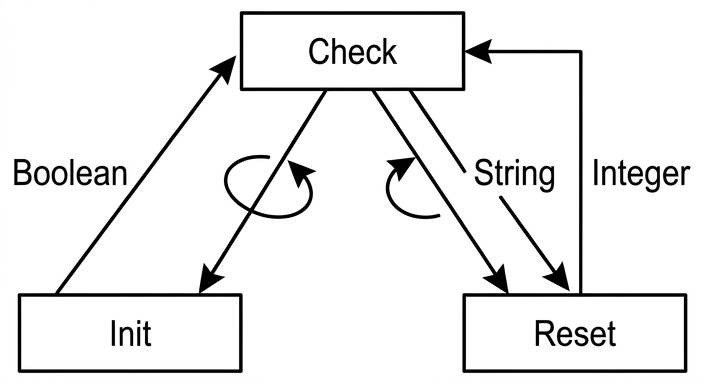
See structure chart
Background Concept
A structure chart shows the relationship between modules in a program.
It usually shows:
- the calling hierarchy: which module controls or calls which other modules
- data couples: values passed between modules, such as parameters and return values
- iteration where a module or sequence of modules is called repeatedly
A structure chart is not the same as a flowchart:
- a flowchart shows the steps in an algorithm
- a structure chart shows how the program is divided into modules and how they interact
Understanding the Question
We are told:
Init()has no parameters and returns a BooleanReset()takes a string parameter and returns an IntegerCheck()repeatedly callsInit()followed byReset()
So the chart must show three things clearly:
Check()is the top-level controlling module.Init()andReset()are called byCheck().- The calls are repeated, and the parameter/return values must be shown in the correct direction.
Approach
Start by placing Check at the top because it controls the others.
Then place Init and Reset below it because they are subordinate modules.
Next, add the data flow:
Init()returns a Boolean toCheck().Check()passes a String toReset().Reset()returns an Integer toCheck().
Finally, add iteration notation around the calls because Check() does this repeatedly.
Step-by-Step Reasoning
- Draw a module box labelled
Checkat the top. - Draw two lower module boxes labelled
InitandReset. - Connect
Checkto both lower modules to show they are called fromCheck. - Because
Init()has no parameters, do not show any parameter passed down toInit. - Show a return value from
Initback toCheck, labelledBoolean. - Show a parameter from
Checkdown toReset, labelledString. - Show a return value from
Resetback up toCheck, labelledInteger. - Add an iteration symbol or loop around the calls from
Checkto indicate thatCheck()repeatedly callsInit()followed byReset().
This captures both the module hierarchy and the information flowing between the modules.
Key Takeaways
- The module that controls the others goes at the top of a structure chart.
- Parameters flow to a module; return values flow back from a module.
- Repetition should be shown when the calls occur repeatedly.
- Structure charts show module organisation, not detailed logic.
Common Mistakes
- Putting
InitorResetat the top instead ofCheck. - Showing a parameter going into
Init()even though it has none. - Omitting the return values.
- Reversing the direction of the parameter or return arrows.
- Forgetting to show that the calls are repeated.
- Drawing a flowchart instead of a structure chart.
Things to Be Careful About
- Match each module signature exactly:
Init()→ no parameters, returnsBooleanReset(String)→ takesString, returnsInteger
- The sequence is
Init()followed byReset(). - Make sure the repetition applies to the calling pattern from
Check(). - Use labels for the data being passed so the examiner can see both the parameter type and the return type.
A program is being developed to implement a game for up to six players.
During the game, each player assembles a team of characters. At the start of the game there are 45 characters available.
Each character has four attributes, as follows:
| Attribute | Examples | Comment |
|---|---|---|
| Player | 0, 1, 3 | The player the character is assigned to. |
| Role | Builder, Teacher, Doctor | The job that the character will perform in the game. |
| Name | Bill, Lee, Farah, Mo | The name of the character. Several characters may perform the same role, but they will each have a unique name. |
| Level | 14, 23, 76 | The skill level of the character. An integer in the range 0 to 100 inclusive. |
The programmer has defined a record type to define each character.
The record type definition is shown in pseudocode as follows:
TYPE CharacterType
    DECLARE Player : INTEGER
    DECLARE Role : STRING
    DECLARE Name : STRING
    DECLARE Level : INTEGER
ENDTYPE
The Player field indicates the player to which the character is assigned (1 to 6). The field value is 0 if the character is not assigned to any player.
The programmer has defined a global array to store the character data as follows:
DECLARE Character : ARRAY[1:45] OF CharacterType
At the start of the game all record fields are initialised, and all Player field values are set to 0
The programmer has defined a program module as follows:
| Module | Description |
|---|---|
Assign() | • called with two parameters: ○ an integer representing a player ○ a string representing a character role • search the Character array for an unassigned character with the required role• If found, assign the character to the given player and output a confirmation message, for example: "Bill the Builder has been assigned to player 3" • If no unassigned character with the required role is found, output a suitable message. |
Answer
PROCEDURE Assign(BYVAL GivenPlayer : INTEGER, BYVAL RequiredRole : STRING)
   DECLARE Index : INTEGER
   DECLARE Found : BOOLEAN
   Found ← FALSE
   Index ← 1
   WHILE Index <= 45 AND Found = FALSE
      IF Character[Index].Player = 0 AND Character[Index].Role = RequiredRole THEN
         Character[Index].Player ← GivenPlayer
         OUTPUT Character[Index].Name & " the " & Character[Index].Role & " has been assigned to player " & NUM_TO_STR(GivenPlayer)
         Found ← TRUE
      ENDIF
      Index ← Index + 1
   ENDWHILE
   IF Found = FALSE THEN
      OUTPUT "No unassigned character with this role was found"
   ENDIF
ENDPROCEDURE
See completed pseudocode
Background Concept
A record lets a program store several related values together under one name. Here, each element of the global Character array is a CharacterType record with fields Player, Role, Name and Level. To find one specific record, a common technique is a linear search: start at the first array element, test each record in turn, and stop when a suitable one is found or when the end of the array is reached.
This question also uses a procedure. A procedure is appropriate when a module performs an action, such as changing data or displaying a message, rather than calculating and returning a single value. The procedure here takes two inputs: a player number and a required role.
Understanding the Question
The task is to write pseudocode for Assign(). The procedure must search the 45-element global Character array for a character that satisfies two conditions at the same time:
- the character is unassigned, so
Player = 0 - the character has the required role
If such a character is found, the procedure must assign that character to the given player by changing the Player field and then output a confirmation message such as Bill the Builder has been assigned to player 3.
If no suitable unassigned character exists, the procedure must output a suitable alternative message.
Approach
The cleanest method is a linear search with a Boolean flag such as Found. The flag starts as FALSE. As the array is scanned from index 1 to 45, each record is checked. When the first matching record is found:
- set its
Playerfield to the given player number - output the confirmation message
- set
FoundtoTRUEso the search stops
After the loop, if Found is still FALSE, output the failure message.
A WHILE loop is a good fit because it can stop early once the character has been found.
Step-by-Step Reasoning
First, declare the local variables needed for the search:
Indexto move through the arrayFoundto remember whether a suitable record has been found
Found is initialised to FALSE because before the search starts, nothing has been found. Index is initialised to 1 because the array is declared as ARRAY[1:45], so this is a 1-based array.
The loop condition is Index <= 45 AND Found = FALSE. This means the search continues only while:
- the index is still inside the array bounds, and
- no match has yet been found
Inside the loop, the key test is:
Character[Index].Player = 0 AND Character[Index].Role = RequiredRole
Both parts matter. Checking only the role would allow already-assigned characters to be reused, which is wrong. Checking only Player = 0 would allow the wrong role to be assigned.
When the condition is true, the procedure performs the assignment:
Character[Index].Player ← GivenPlayer
That updates the record in the global array, which is the main purpose of the procedure.
Then it outputs a message built from the character's Name, the text the, the Role, and the player number converted to a string using NUM_TO_STR. The conversion is important because the message is a string, but GivenPlayer is an integer.
Finally, Found ← TRUE is set. That prevents any later matching characters from being assigned as well.
The index is then incremented so the loop can move on if needed. After the loop, a final IF Found = FALSE handles the case where no suitable character existed anywhere in the array.
A FOR loop with a flag would also be a valid idea, but a WHILE loop expresses early termination more directly.
Key Takeaways
- Use a procedure when the module performs an action rather than returns a value.
- Use a linear search to scan an array of records one element at a time.
- When searching records, test all required fields, not just one.
- A Boolean flag is a standard way to stop searching once a match is found and to detect the no-match case afterwards.
Common Mistakes
- Forgetting to test
Player = 0. That would allow already-assigned characters to be reassigned. - Forgetting to set
Found ← TRUE. Then the loop may continue and assign more than one character. - Using the wrong array bounds, such as starting at 0. The array is declared from 1 to 45.
- Outputting only the role or only the name instead of the full confirmation message.
- Writing
GivenPlayerdirectly into a concatenated string without converting it withNUM_TO_STR.
Things to Be Careful About
- Keep the identifier names consistent with the stem, especially
Character,Player,RoleandName. - Use the assignment arrow
←, not=. - Make sure the procedure changes the record field in the array, not just a temporary variable.
- Do not forget the failure message after the loop; the question explicitly requires output if no unassigned character with the role is found.
A new module will store the contents of the Character array in a text file.
The module is defined as follows:
| Module | Description |
|---|---|
Save() | • form a string from each record with fields separated by the character '^' • write each string to a separate line of the new file named SaveFile.txt |
Complete the pseudocode for module Save().
PROCEDURE Save()


ENDPROCEDURE
Answer
PROCEDURE Save()
   DECLARE Index : INTEGER
   DECLARE OneLine : STRING

   OPENFILE "SaveFile.txt" FOR WRITE
   FOR Index ← 1 TO 45
      OneLine ← NUM_TO_STR(Character[Index].Player) & "^" & Character[Index].Role & "^" & Character[Index].Name & "^" & NUM_TO_STR(Character[Index].Level)
      WRITEFILE "SaveFile.txt", OneLine
   NEXT Index
   CLOSEFILE "SaveFile.txt"
ENDPROCEDURE
See completed pseudocode
Background Concept
A text file stores data as characters. When a program wants to save several fields from one record onto one line, a common method is to create a delimited string. A delimiter is a special separator character placed between fields so that the line can later be split back into its original parts. In this question, the delimiter is ^.
Because text files store characters, any numeric values such as integers usually need to be converted into strings before they are joined with string fields.
Understanding the Question
The new Save() procedure must take the contents of the global Character array and write them to a new text file called SaveFile.txt.
The instructions give two precise requirements:
- form a string from each record with the fields separated by
^ - write each string to a separate line of the file
Each Character[Index] record has four fields to save in the current version of the question:
PlayerRoleNameLevel
So the output for one record should look like a single line such as 0^Builder^Bill^14.
Approach
The method is straightforward:
- open
SaveFile.txtfor writing - loop through all 45 elements of the
Characterarray - build one string from the four fields, inserting
^between them - convert integer fields to strings before concatenation
- write that string as one line in the file
- close the file at the end
A FOR loop is the natural choice because every record from 1 to 45 must be saved.
Step-by-Step Reasoning
Index is needed to move through the array, and OneLine stores the finished text for the current record.
The procedure starts with:
OPENFILE "SaveFile.txt" FOR WRITE
This creates the new file for output. Then the loop runs from 1 to 45 because the array bounds are ARRAY[1:45].
Inside the loop, the program constructs a delimited string. The order should match the field order being saved. The expression is:
NUM_TO_STR(Character[Index].Player) & "^" & Character[Index].Role & "^" & Character[Index].Name & "^" & NUM_TO_STR(Character[Index].Level)
The two numeric fields are Player and Level, so each is converted using NUM_TO_STR. The Role and Name fields are already strings, so they can be joined directly.
That completed string is then written to the file with WRITEFILE. Because this is done once per loop iteration, each record goes to a separate line.
After all 45 records have been written, CLOSEFILE is used to finish the save operation properly.
Key Takeaways
- Saving records to a text file usually means turning each record into a delimited string.
- Numeric data must be converted to string form before concatenation.
- Use a count-controlled loop when every array element must be processed.
- Always close a file after writing.
Common Mistakes
- Forgetting to open the file in write mode.
- Omitting one of the fields when forming the line.
- Forgetting the
^separators, which would make the file hard to reconstruct later. - Trying to concatenate integers directly with strings without conversion.
- Forgetting to close the file after writing.
Things to Be Careful About
- The array is 1-based, so the loop must run from 1 to 45.
- The filename must match the question exactly:
SaveFile.txt. - The question says each record must go on a separate line, so there should be one
WRITEFILEcall per record. - Keep the field order consistent, because changing the order would make later reading and restoring more difficult.
The program is changed and the record type definition is modified as follows:
TYPE CharacterType
    DECLARE Player : INTEGER
    DECLARE Role : STRING
    DECLARE Name : STRING
    DECLARE Level : INTEGER
    DECLARE Status : BOOLEAN
ENDTYPE
Describe how the additional Boolean field may be stored with the rest of the fields on one line of a text file.
Answer
- Store the Boolean as text, for example
TRUEorFALSE. - Add it as another field on the line separated by
^, for example3^Builder^Bill^14^TRUE.
Store the Boolean as an extra delimited field, for example TRUE/FALSE such as 3^Builder^Bill^14^TRUE
Background Concept
A text file stores characters, not native Boolean values. So when a record contains a Boolean field, the program must choose a text representation for that value. Common choices are the words TRUE and FALSE, or coded values such as 1 and 0.
When a record is being stored as one line in a text file, each field is usually separated with the same delimiter so the line can later be split back into separate fields during loading.
Understanding the Question
The record type has been extended with a new field:
DECLARE Status : BOOLEAN
The question asks how this extra Boolean value could be stored on the same line as the other fields in the text file. So the important idea is not changing the file structure completely, but extending the existing delimited-line method to include one more field.
Approach
Use the same delimiter-based format as before. Represent the Boolean in text form and place it after the existing fields, separated by ^.
So the line simply becomes one field longer.
Step-by-Step Reasoning
Originally, a line might contain:
Player^Role^Name^Level
After adding Status, the line format becomes:
Player^Role^Name^Level^Status
Because Status is Boolean, it must be saved in text form. A clear method is to store either TRUE or FALSE. For example, if Bill is assigned to player 3, has level 14 and the status is true, a line could be:
3^Builder^Bill^14^TRUE
This works well because:
- the delimiter still separates fields clearly
- the load process can read the final field and interpret it as Boolean again
Key Takeaways
- Text files require non-text types to be represented as text.
- A Boolean field can be stored as
TRUE/FALSEor another agreed code. - When a record structure changes, the text-file format usually changes by adding another delimited field.
Common Mistakes
- Saying the Boolean can be stored directly as a Boolean without any text representation.
- Forgetting to mention the separator character
^. - Replacing an existing field rather than adding the new field as an extra one.
Things to Be Careful About
- Whatever representation is chosen, it must be used consistently when saving and loading.
- The extra field should be in a fixed position so the restore process knows where to find it.
- If
TRUE/FALSEis used, keep the spelling consistent throughout the program.
The save operation is to be extended so that multiple files may be saved as the game progresses. This will allow the user to restore the game from any saved position. The filename must reflect the sequence in which the files are saved.
Describe a method that would allow multiple files to be saved and give an example of two consecutive filenames.
Method ......................................................................................................................................
Example ....................................................................................................................................
Answer
- Method: Keep a save counter that is increased each time the game is saved, and use the counter as part of the filename.
- Example:
SaveFile1.txtandSaveFile2.txt.
Use an incrementing save counter in the filename, for example SaveFile1.txt and SaveFile2.txt
Background Concept
When a program needs to keep several saved versions of data, each save must have a unique filename. A simple and reliable method is sequential naming: keep a counter and include its value in the filename. This makes the order of saves obvious and prevents one file from overwriting another.
Understanding the Question
The question says that multiple save files must be possible as the game progresses, and the filename must reflect the sequence in which the files are saved. That means the filename should show first save, second save, third save, and so on.
The answer needs two things:
- a method for how the filenames are produced
- two example filenames that are consecutive in the sequence
Approach
Use a variable such as SaveNumber. Each time the save operation happens:
- use the current number in the filename
- save the file
- increment the number for the next save
The filename can be built from a base part such as SaveFile, then the number, then .txt.
Step-by-Step Reasoning
Suppose the program starts with SaveNumber ← 1.
On the first save, the filename becomes:
SaveFile1.txt
After saving, the program increments the counter to 2.
On the next save, the filename becomes:
SaveFile2.txt
This method works because each filename is different, and the number also tells the user the order in which the saves were made.
Other equivalent naming styles would also work, such as Game1.txt, Game2.txt or versions with leading zeros like SaveFile01.txt, SaveFile02.txt, provided the sequence is clear.
Key Takeaways
- Multiple save files need unique filenames.
- A counter is a simple way to generate unique names in sequence.
- Embedding the sequence number in the filename also helps users identify save order.
Common Mistakes
- Giving two identical filenames, which would overwrite the earlier save.
- Using unrelated names that do not show a sequence.
- Describing only the examples and not the method.
Things to Be Careful About
- The numbering must increase every time a save is made.
- The sequence number should be part of the filename itself, not only stored elsewhere.
- The examples must be consecutive, not just any two filenames.